
MemberSpace is a third-party membership tool that lets you put any part of your Squarespace site behind a paywall, sell memberships, courses, and gated content, and manage members, all without moving your content to another platform. This page is a plain-English rundown of what it is, what it does, what it costs, and who it suits.
Best for: Squarespace creators and businesses who want flexible memberships and paywalls with more control than the built-in option.
What it is
MemberSpace is a membership layer that sits on top of your existing website. You add it to Squarespace (it also works with Wix, WordPress, Webflow, and others), choose which pages to protect, and those pages are gated so only paying members can see them. Everything stays inside your own site, so your branding, design, and content remain in one place rather than living on a separate course platform. Members log in through your site, and MemberSpace handles the accounts, billing, and access control behind the scenes.
Worth knowing up front: Squarespace now has its own built-in Member Sites feature, so the real decision is MemberSpace versus that native option. MemberSpace earns its keep when you need flexibility the built-in tool does not offer, covered below.
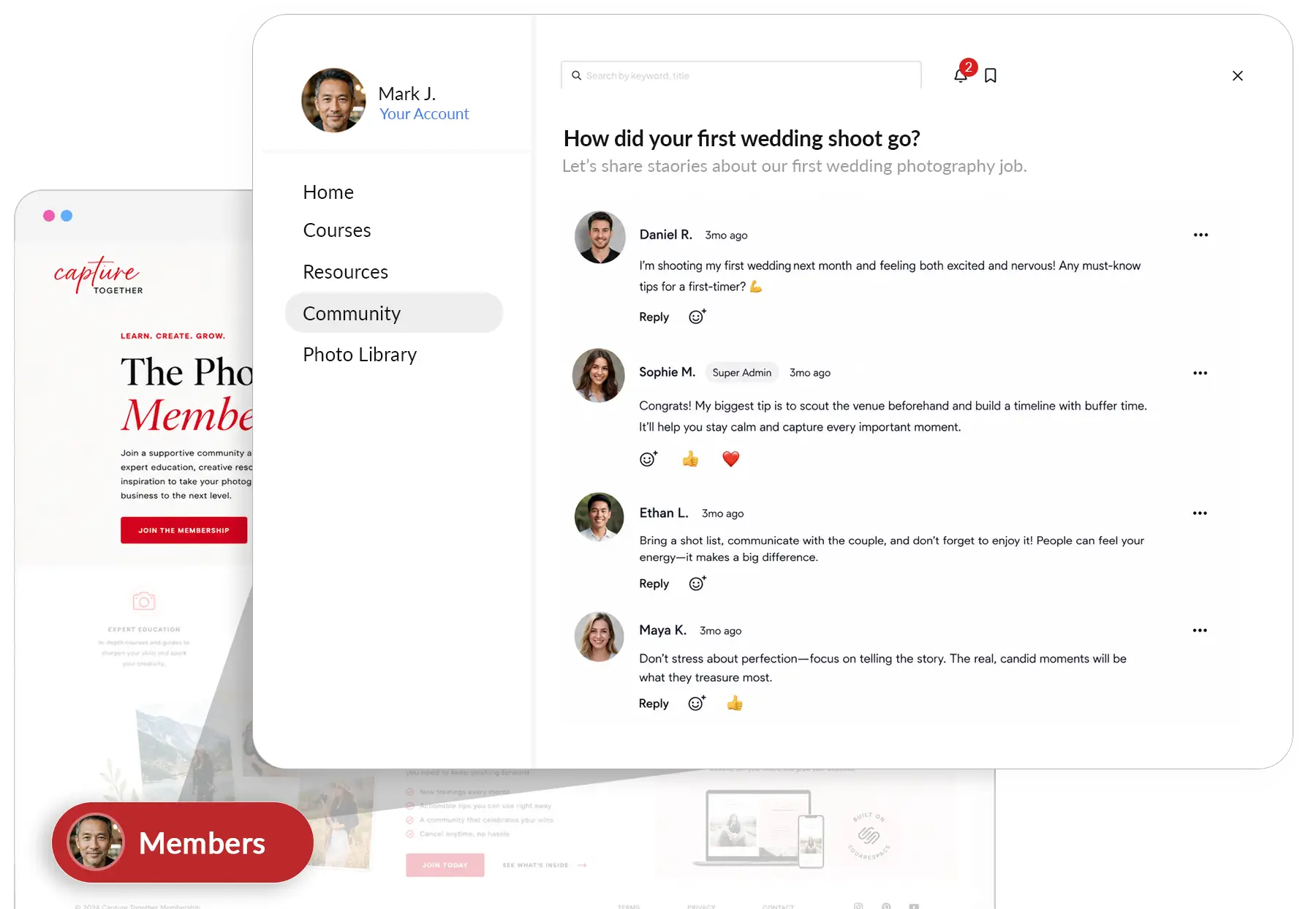
What it does
MemberSpace turns ordinary Squarespace pages into a members-only business. Key features include:
- Gate any content: protect pages, blog posts, videos, audio, downloads, and courses, while the rest of your site stays public.
- Flexible plans: one-time payments, recurring monthly or annual subscriptions, free tiers, and payment plans, all supported.
- Multiple membership tiers with different access and pricing, plus support for up to two connected domains.
- Content dripping, so you can release lessons or resources on a schedule. This is a notable gap in Squarespace’s native feature.
- Branded member experience: customised welcome emails and member-facing pages that match your site, with connections to email tools like Flodesk and Kit.
- Member management: a dashboard for sign-ups, activity, cancellations, database exports, and analytics.
- Integrations and API, including Stripe for payments and Zapier for automation.

Pricing
MemberSpace charges a monthly fee plus a small transaction fee on member payments, and the higher the plan, the lower that transaction fee. As a rough guide (check the MemberSpace site for current figures):
- Startup: free to use with no monthly fee, with around a 5 percent transaction fee on member payments. A genuine way to launch and only pay as you earn.
- Paid plans: from around $49 per month (about $39 per month on annual billing), which lower the transaction fee, with the exact percentage depending on the plan.
Two honest points on cost. The transaction fee is charged on top of standard Stripe processing fees, so factor both in. And because the free plan’s percentage is higher, there is a crossover point where moving to a paid plan saves money once your membership revenue grows.
Who it is for
MemberSpace suits Squarespace creators, coaches, educators, and businesses who want to sell memberships or gated content and need more flexibility than the built-in Member Sites feature, particularly content dripping, multiple tiers, payment plans, and branded emails wired into a tool like Flodesk or Kit. It is also a sensible choice if you run sites on more than one platform, since it works across Squarespace, Wix, WordPress, and Webflow. It is less necessary if your needs are simple: if you just want to gate a few pages and are happy without dripping or advanced tiers, Squarespace’s native Member Sites may cover you without a second subscription. And if you need a full course experience with progress tracking and certificates, a dedicated learning platform will go further.
Our verdict
MemberSpace is the most flexible way to run memberships directly inside a Squarespace site, and the free Startup plan makes it easy to launch and pay only as you earn. The honest framing in 2026 is that Squarespace now has its own Member Sites feature built in, so MemberSpace is the right call specifically when you need what the native tool lacks: content dripping, richer tiers, payment plans, and a more branded, connected member experience. If that flexibility matters to your membership, MemberSpace is well worth the layer; if your needs are basic, weigh it against the built-in option first.
Frequently asked questions
Does MemberSpace work with Squarespace?
Yes. It is a third-party tool that layers onto your existing Squarespace site (and also Wix, WordPress, and Webflow), gating any page behind a membership without moving your content elsewhere.
How is MemberSpace different from Squarespace’s own Member Sites?
MemberSpace adds flexibility the native feature lacks, including content dripping, more membership tiers, payment plans, and branded emails connected to tools like Flodesk or Kit. Squarespace Member Sites is built in and cheaper, but more limited.
How much does MemberSpace cost?
There is a free Startup plan with no monthly fee and around a 5 percent transaction fee, plus paid plans from around $49 per month (about $39 on annual billing) that lower the transaction fee. Standard Stripe processing fees apply on top.
What can I sell with MemberSpace?
Memberships to almost any content: gated pages, blog posts, videos, audio, downloads, and courses, sold as one-time payments, subscriptions, free tiers, or payment plans, across multiple membership levels.
Do I need to know code to use MemberSpace?
No. Setup is adding a snippet to your site, and from there you manage members, plans, and gated pages from the MemberSpace dashboard. No coding is required.
This page contains affiliate links. If you subscribe through them we may earn a small commission, at no extra cost to you. We only feature tools we would recommend on their own merits.

