
Monocle Search is a premium site-search tool built exclusively for Squarespace. It replaces the often-frustrating native search with fast, typo-tolerant, real-time results, and it can search things Squarespace cannot, including your product catalogue, PDFs, and even Member Site content. This page is a plain-English rundown of what it is, what it does, what it costs, and who it suits.
Best for: Squarespace owners frustrated with native search who want fast, accurate, customisable results across content, products, and member areas.
What it is
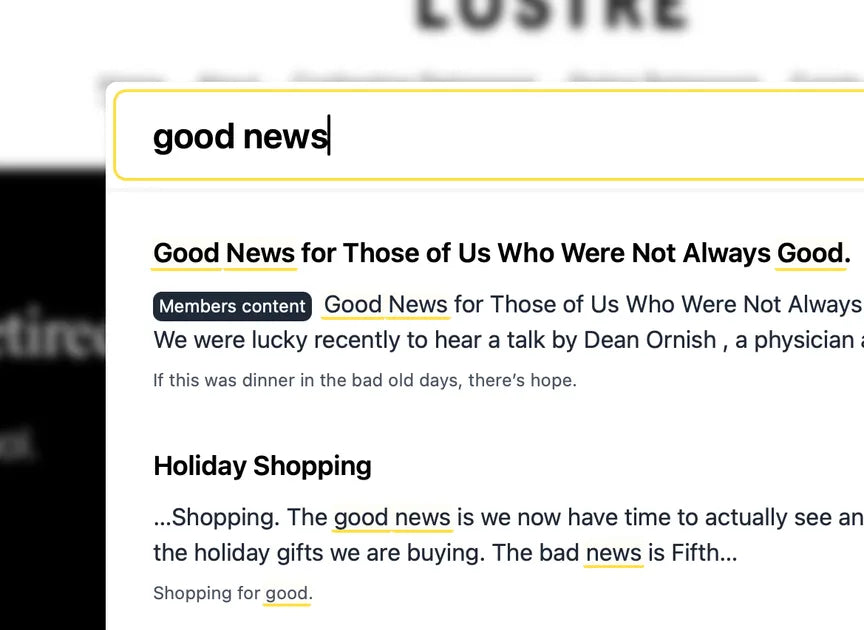
Monocle Search is a dedicated, Squarespace-only search extension that upgrades how visitors find content on your site. If you have ever searched your own Squarespace site and come up empty even though the content is clearly there, you have met the limits of the native search: it can miss pages, return irrelevant results, and give you little control. Monocle replaces that with a fast, real-time, typo-tolerant search that you can fully customise to match your site. It is well regarded enough to have been adopted as the search engine for the official Squarespace Circle blog. Installation is genuinely quick: insert a small script and Monocle automatically takes over your existing Squarespace search bar, and on the Personal plan (where you cannot add code) you can connect it using "Log in with Squarespace" instead, with no snippet needed.
What it does
Monocle goes well beyond basic keyword matching. Key features include:
- Fast, real-time, typo-tolerant search that takes over your existing search bar, or can be triggered from a button, link, or pre-filled search window anywhere on your site.
- Product catalogue search with faceting and filtering by tag, price, category, and image, ideal for stores with large catalogues.
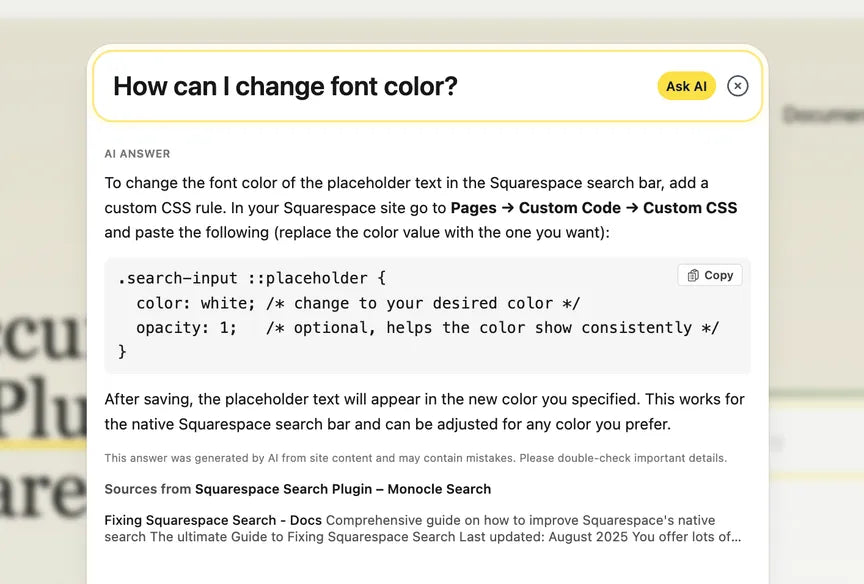
- Member Site content search, which Monocle is uniquely able to do (more on this below), with the option to let visitors preview member-only content while it stays behind access restrictions.
- PDF indexing so the contents of your PDF files become searchable in real time, plus image search.
- Full control over results: hide or exclude landing pages, SEO content, or anything else you do not want surfaced.
- Design customisation to match your Squarespace styling, with a design editor on paid tiers.
- AI answers on paid plans: a large language model can generate answers based on your site’s own content, plus daily indexing and crawl-on-demand to keep results fresh.
The one thing only Monocle does
Worth calling out on its own: Monocle is the only search tool we know of, including Squarespace’s own, that can search Member Site content. For membership and paywalled sites this is a genuine differentiator. Existing members can find premium content quickly, and you can optionally let non-members see previews of member-only results, which doubles as a gentle nudge to subscribe. If you run a member area on Squarespace, this feature alone can justify the tool.
Pricing
Monocle has a free tier and paid plans billed in euros, with a bulk discount for multiple sites. As a rough guide (check the Monocle site for current figures):
- Free: a limited free plan covering up to 500 pages with daily re-indexing, a genuine option for smaller sites, with limited support.
- Starter: the entry paid tier for core upgraded search.
- Core: around €19 per month, adding image search, PDF search, the design editor, page exclusion, and crawl-on-demand.
- Professional: around €49 per month, adding the standout Member Site search and advanced product search.
Agencies and multi-site owners get 20 percent off the third and every subsequent subscription. Two honest notes: pricing is in euros (so factor in conversion if you bill in another currency), and the headline features many people want, Member Site search and advanced product search, sit on the €49 Professional tier.
Who it is for
Monocle suits any Squarespace site where search actually matters and the native version falls short: content-heavy blogs and archives where visitors hunt through lots of posts, stores with large product catalogues that need real filtering, PDF-heavy or resource sites, and especially membership sites that need their member content to be searchable. Because it works on every Squarespace plan (including Personal, with no code), it fits everyone from solo bloggers to agencies managing many client sites. It is less necessary if your site is small and simple, where the native search and the 500-page free tier may be perfectly adequate, or if you are not prepared for an ongoing subscription, since search reverts to native if you cancel.
Our verdict
Monocle Search is the polished, purpose-built answer to one of Squarespace’s genuine weak spots. It is fast, accurate, easy to install, fully customisable, and it searches content the native tool simply cannot, most notably Member Site content, where it is effectively in a category of one. The honest caveats are minor: euro pricing to factor in, and the best features living on the Professional tier. For a content-rich blog, a catalogue-heavy store, or any membership site on Squarespace, it is a smart, high-impact upgrade that visitors notice immediately, and the free tier means smaller sites can try the improvement at no cost.
Frequently asked questions
Does Monocle Search work with Squarespace?
Yes, it is built exclusively for Squarespace. You insert a small script and it automatically takes over your existing search bar. On the Personal plan, where you cannot add code, you connect it using "Log in with Squarespace" instead, with no snippet needed.
How is Monocle better than Squarespace’s native search?
Native search often misses pages, returns irrelevant results, and gives little control. Monocle is fast, typo-tolerant, real-time, and fully customisable, lets you filter products and exclude pages, and can search PDFs and member content, which the native tool cannot.
Can Monocle search products and PDFs?
Yes. It indexes your product catalogue with faceted filtering by tag, price, category, and image, and it indexes PDF files so their contents are searchable in real time. Image search is included too.
Can it search member-only content?
Yes, and uniquely so. Monocle is the only search tool, including Squarespace’s own, that can search Member Site content, and it can let visitors preview member-only results while keeping them behind access restrictions. This sits on the Professional plan.
How much does Monocle cost?
There is a free tier covering up to 500 pages. Paid plans are billed in euros, from around €19 per month for Core (image and PDF search, page exclusion) to around €49 per month for Professional (Member Site and advanced product search), with 20 percent off from your third site.
This page contains affiliate links. If you subscribe through them we may earn a small commission, at no extra cost to you. We only feature tools we would recommend on their own merits.

