
The Ultimate Squarespace Toolkit (2026 Edition): Tools to Build, Grow, and Manage a Better Website
A great looking Squarespace website is usually much more than a pretty template. Templates give a site its structure, but the day-to-day experience often depends on the tools connected around it. That is why a well-chosen Squarespace toolkit has become so valuable.
You can launch a business on a nice-looking site, but you will quickly want more: greater design control, better SEO, memberships, lead capture, multiple languages, privacy compliance, and simpler ways to manage it all. Without the right tools, a site can look beautiful from the outside yet fall short as a practical, working part of your business.
This guide is built to help site owners, founders, designers, and service providers understand which tools matter, what each one does, and how to assemble a solid Squarespace stack without adding needless complexity. Every tool featured here is one we would recommend on its own merits.
Some links below are affiliate links. If you subscribe through them we may earn a small commission, at no extra cost to you.
Why a Squarespace Toolkit Matters
Squarespace is excellent because it gives you an elegant website-building experience: flexible layouts, page and content management, blogging, basic ecommerce, and mobile-responsive design out of the box. But as soon as a business grows beyond those built-in features, the limits become clear.
That is not a weakness in Squarespace. It reflects how much more a website is now expected to do for a business. A good toolkit helps a site do four things well: look more professional, reach the right audience, convert visitors into customers, and run more smoothly once it is live.
Start With the Website’s Real Bottleneck
Before choosing tools, work out which problem you are actually solving. Most strong Squarespace toolkits fall into four layers:
- Design and customisation: making the site look more polished and less limited by default settings.
- SEO and visibility: helping the site get found in search and AI answers.
- Conversion and revenue: turning visitors into leads, members, or customers.
- Operations and trust: translation, privacy compliance, and day-to-day management.
A small site may need only one or two tools. A growing business may need a fuller stack. The trick is to choose based on the next useful step, not every possible future need.
SquareKicker : Best for Better Design Control
SquareKicker is one of the most effective ways for designers to gain more control over how a Squarespace site looks and behaves. Squarespace gives you a solid base, but sometimes a site needs a little more room for creativity: cleaner spacing for an upscale service brand, more structural control for an artist, deeper visual detail for a portfolio, or animation that default settings cannot reach. It works visually, with no code.
The honest caveat is restraint. Just because a site can have more movement and effects does not mean it should. Design should support the message, not compete with it.
Best fit: designers, premium brands, creative studios, and service businesses that need stronger visual polish. Read our full SquareKicker guide.
Elfsight : Best for Adding Features Without Code
Elfsight is a library of ready-made widgets you embed on a Squarespace site: Google reviews, Instagram and social feeds, galleries, forms, FAQ accordions, popups, and more. For anyone who wants extra functionality without custom development, it is a fast, approachable way to add polished features that would otherwise need code.
The thing to watch is performance and clutter. Each widget adds a little weight, so use the ones that earn their place rather than stacking them for the sake of it.
Best fit: small businesses, service sites, and anyone wanting quick, no-code features like reviews, feeds, and galleries.
SEOSpace : Best for Search Visibility and SEO Checks
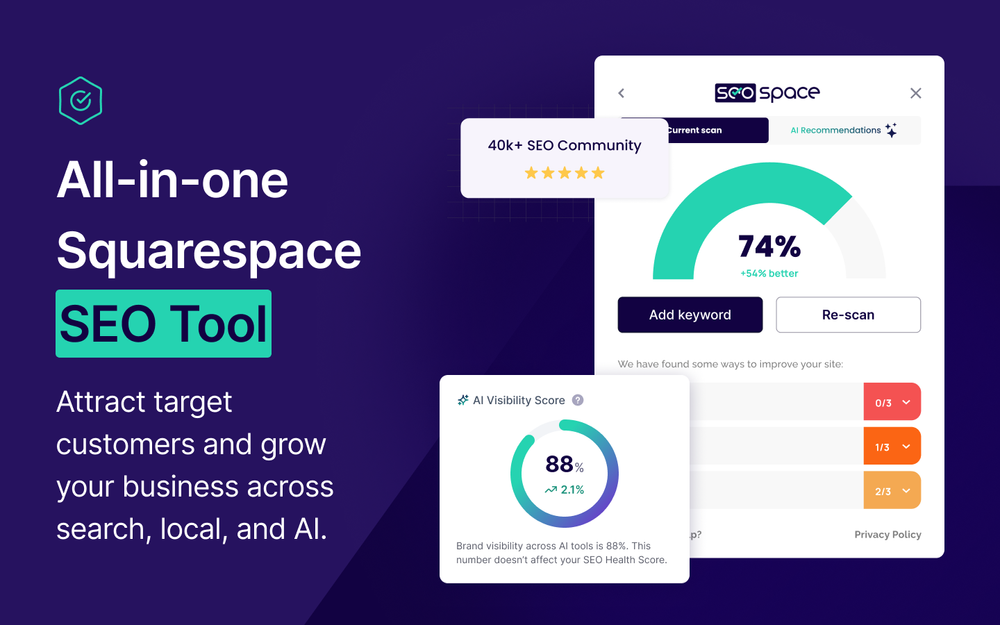
A beautiful Squarespace site is not much use if nobody finds it. SEOSpace belongs in most serious toolkits because it gives you an easy way to check SEO fundamentals, spot issues, and improve how your site performs in search and AI tools. Many Squarespace users know they should do SEO but lose track of title tags, meta descriptions, heading structure, image alt text, and content gaps. SEOSpace runs one-click audits and gives Squarespace-specific recommendations so you are not guessing.
Best fit: service businesses, bloggers, designers, ecommerce brands, and local businesses. Read our full SEOSpace guide.
Semrush : Best for Keyword and Competitor Research

Where SEOSpace works inside your site, Semrush works on the wider search landscape: keyword research, search volumes, competitor analysis, content gaps, and backlinks. It is most useful when you compete in a crowded market and want to understand what to write about and which terms are worth chasing. It is more than many beginners need on day one, but invaluable once you are serious about growing organic traffic.
Best fit: marketers, ecommerce brands, competitive niches, and anyone planning content around real search demand. Read our full Semrush guide.
MemberSpace : Best for Memberships and Gated Content
MemberSpace lets you lock any part of a Squarespace site behind a login and charge for access. A coach can run a members-only video library, a course creator can sell resources, a community leader can gate private pages, and a consultant can share client-only materials. It is a clean way to protect and monetise content while keeping people on your own site rather than sending them to another platform.
Best fit: coaches, course creators, communities, paid resource libraries, and client portals.
Typeform : Best for Forms, Quizzes, and Lead Capture
Typeform turns the humble form into something people actually enjoy completing: one question at a time, conversational, and nicely designed. For lead capture, quizzes, surveys, and onboarding, that engaging style tends to lift completion rates compared with a standard static form. It embeds neatly on Squarespace and connects to the tools you already use.
The honest caveat: the lower tiers have monthly response caps, so a high-traffic form can hit limits and push you up a plan. Worth checking against your expected volume.
Best fit: service businesses capturing enquiries, marketers running quizzes and surveys, and anyone who wants higher form completion.
Weglot : Best for Multilingual Squarespace Websites

If you serve customers in more than one language, Weglot translates and manages your site content across languages, and it does so in an SEO-friendly way, with translated pages that search engines can index for local search. For ecommerce, tourism, consulting, and education aiming at a global audience, a single-language site can quietly cap your growth.
The caveat is quality control: automated translation is a strong starting point, but review the important pages for brand tone and accuracy.
Best fit: international businesses, tourism, ecommerce, and multilingual service providers. Read our full Weglot guide.
Termly : Best for Privacy Policies and Cookie Consent
Most sites now need a privacy policy, terms, and a working cookie consent banner, especially under GDPR and similar laws. Termly generates the policies you need and provides a cookie banner with scanning and script-blocking, all from one dashboard, with a genuinely usable free plan to get basic coverage live quickly.
The honest note: the fuller compliance features (consent logs, auto-updating policies, custom styling) sit on the paid tiers, and hosted policies stay tied to your subscription. For deeper, continuously auto-updating policies, Termageddon is worth comparing.
Best fit: any Squarespace site that collects visitor data, takes bookings, or sells online.
How to Build the Right Squarespace Toolkit
A useful toolkit depends on the site’s purpose. A few realistic starting stacks:
- Service business: SEOSpace for visibility, Typeform for enquiries, Termly for compliance.
- Coaching or education: MemberSpace for gated content, SEOSpace for traffic, Typeform for onboarding.
- Designer or agency: SquareKicker for design delivery, SEOSpace for SEO handover, Elfsight for client-site features.
- Ecommerce store: SEOSpace and Semrush for search growth, Termly for compliance, Elfsight for reviews and social proof.
- International brand: Weglot for languages, Semrush for research, SEOSpace for on-page SEO.
The point is not to install everything. It is to build a stack around the site’s actual job.
Common Mistakes When Building a Squarespace Toolkit
Adding tools before the strategy is clear. A tool cannot fix unclear positioning, weak service pages, or a confusing offer. Get the basics right first.
Buying too many subscriptions at once. A toolkit should grow with the business. Too many tools create cost and complexity before the site is ready to use them.
Using design tools without restraint. SquareKicker and Elfsight can lift a site, but effects should support the message. A site can feel less premium if every section is animated or overloaded with widgets.
Treating SEO as a plugin problem. SEOSpace helps, but SEO still needs useful content, clear keywords, strong structure, and regular improvement. Our guide to the best Squarespace SEO plugins and tools covers this in depth.
Adding membership tools without a plan. MemberSpace is powerful, but only when the gated content has a clear purpose and value.
Ignoring compliance. Privacy policies and cookie consent are easy to leave until last, but they matter from launch. Termly makes them quick to handle.
When to Browse More Tools on SquareLocator
The tools above cover the major layers, but they are not the only ones worth considering. It is worth browsing more on SquareLocator if you need a chat tool like LiveChat or ChatBot , better site search with Monocle Search , an alternative form builder in Jotform , or a plugin suite like Spark . You can explore the full range on the SquareLocator Extensions page, or browse plugins and templates .
Where Each Tool Fits in Your Workflow
A tool only earns its cost when it changes how you work. Map each into a stage:
- SquareKicker and Elfsight belong in the design and build stage.
- SEOSpace belongs in the pre-launch and optimisation stage.
- Semrush belongs in the research and content-planning stage.
- MemberSpace belongs in the membership or gated-content stage.
- Typeform belongs in the lead-capture and onboarding stage.
- Weglot belongs in the localisation stage.
- Termly belongs in the compliance stage, from launch onward.
Review the toolkit every few months. A tool that was unnecessary at launch may become useful later, and vice versa.
For related reading, see our Squarespace SEO Guide (2026) and our guide to the best tools for Squarespace designers .
FAQ: The Ultimate Squarespace Toolkit
What tools do I need for a Squarespace website?
It depends on what the site needs to do. A service business often starts with SEOSpace, Typeform, and Termly. A membership business needs MemberSpace. A design-led site benefits from SquareKicker and Elfsight. An international brand needs Weglot. Start with the tools that solve your current problem.
Is SquareKicker worth it for Squarespace?
It can be, if your site needs more design control than standard Squarespace settings allow. It is most useful for designers, premium brands, and sites that want a more custom visual look, without writing code.
What is the best SEO tool for Squarespace?
SEOSpace is one of the strongest because it is built specifically for Squarespace SEO audits and fixes. For wider keyword and competitor research, Semrush complements it well. Both work best alongside good content and keyword planning.
Can I build a membership site on Squarespace?
Yes. MemberSpace adds gated content and paid memberships to a Squarespace site. It works best when there is a clear private-content offer, such as courses, resource libraries, or a paid community.
Do I need privacy and cookie tools on Squarespace?
If you collect any visitor data, run analytics, or sell online, then usually yes. Termly generates the policies and provides a cookie consent banner with scanning and script-blocking, with a free plan to start. Termageddon is a strong alternative for continuously auto-updating policies.
Do I need all these tools at once?
No. Most sites should start with the tools that solve their current problems and add more only when needed. A smaller, well-used toolkit beats a large stack of tools that are never properly set up.
This article contains affiliate links. If you subscribe through them we may earn a small commission, at no extra cost to you. We only feature tools we would recommend on their own merits.

