
ChatBot (from the team behind LiveChat) is a no-code platform for building AI chatbots that answer questions, qualify leads, and drive sales on your Squarespace site, around the clock, without a human agent online. This page is a plain-English rundown of what it is, what it does, what it costs, and who it suits.
Best for: Squarespace owners who want AI to handle routine conversations automatically, 24/7, rather than staffing live chat.
What it is
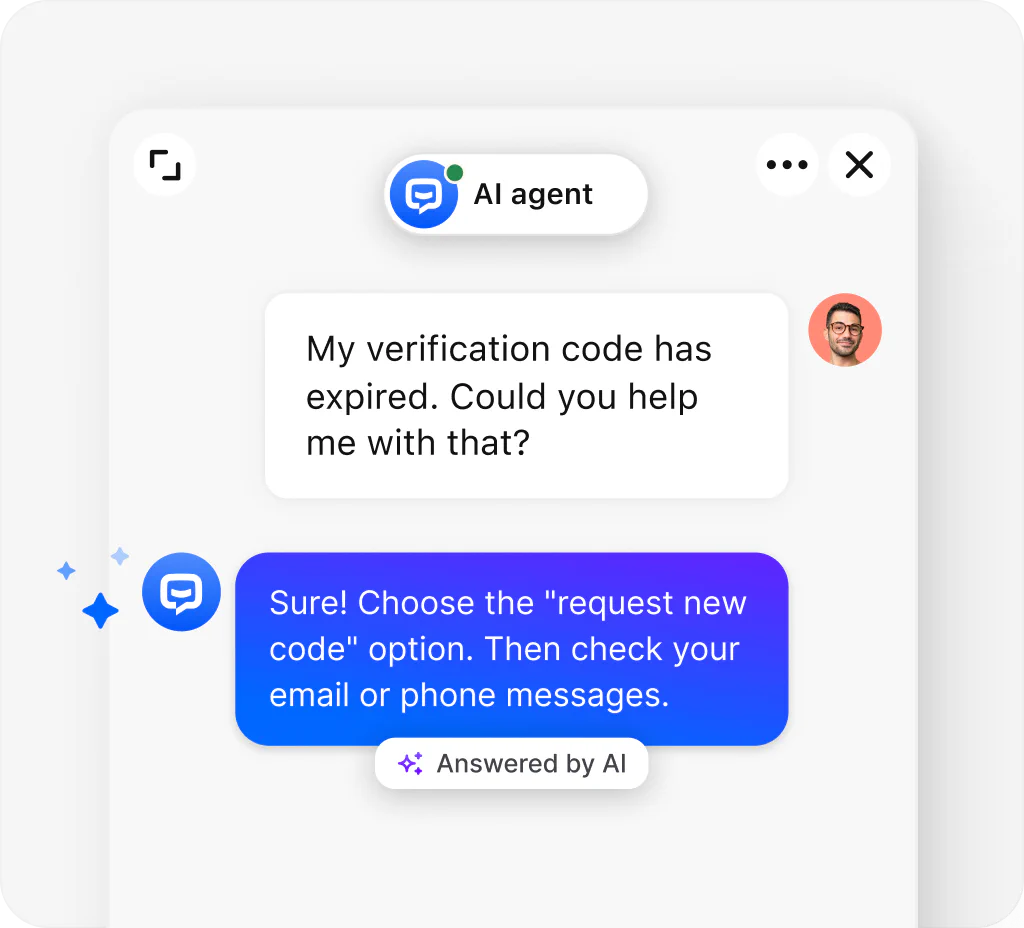
ChatBot is a no-code AI chatbot builder made by the company behind LiveChat, used by tens of thousands of brands. You build conversational flows in a visual, drag-and-drop editor, or train the AI on your own website content, and it then answers visitor questions automatically across your website, Facebook Messenger, and Slack. It installs on Squarespace through code injection (the same paste-a-snippet method all chat tools use). The simplest way to think about it: where LiveChat is the human-agent-first tool, ChatBot is its automation-first sibling, built to resolve conversations without a person online. The two are separate products that integrate, so you can run the bot for routine questions and hand off to a LiveChat agent when needed.
What it does
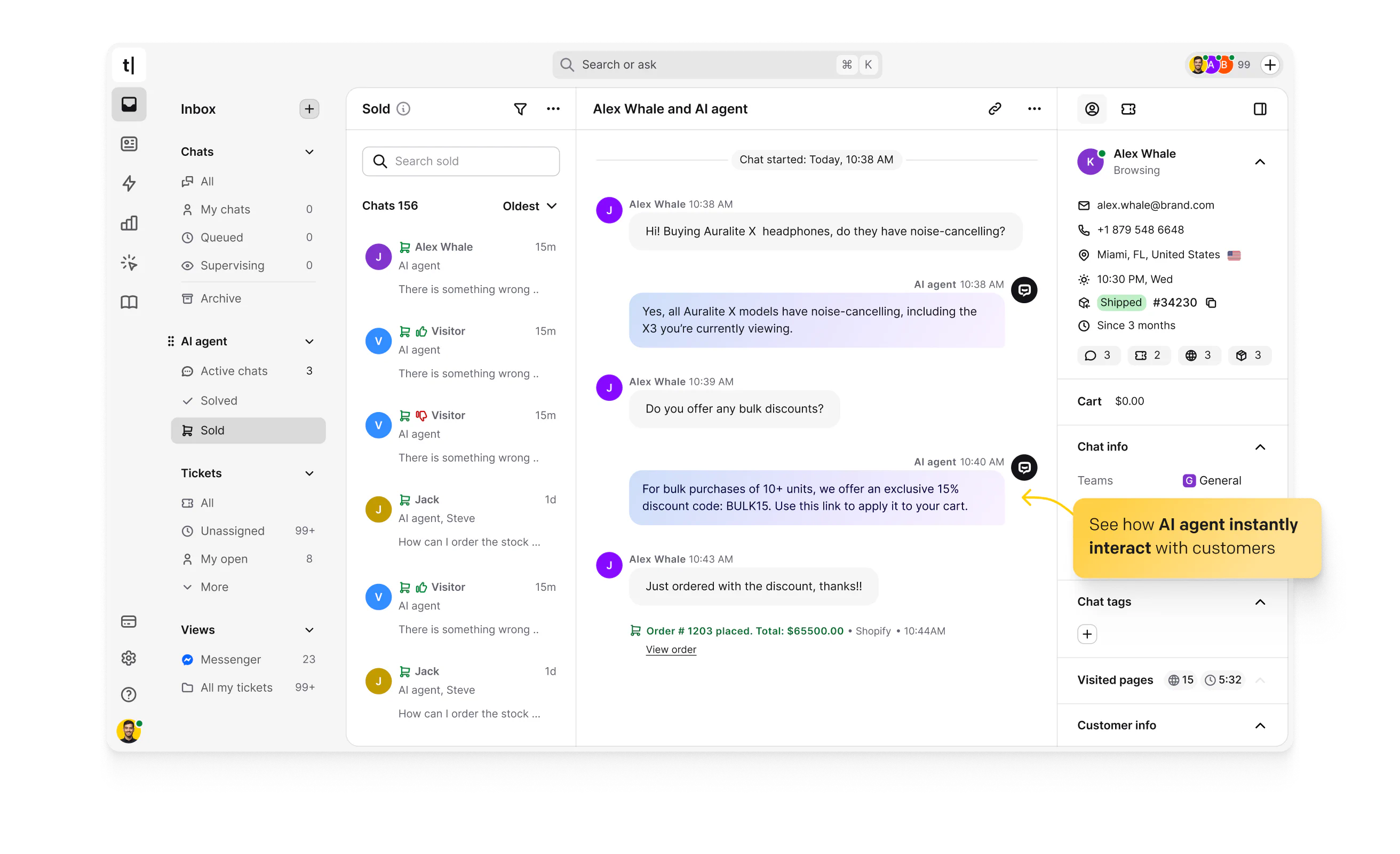
ChatBot is built to automate conversations and capture leads without a human online. Key features include:
- A visual drag-and-drop builder for designing conversation flows (called Stories), plus ready-made templates to launch quickly.
- AI trained on your content: point it at your website or knowledge base and it answers from your own material, improving over time.
- Rich messages: mix text, images, buttons, and quick replies to showcase products and guide visitors.
- Lead capture and qualification that runs 24/7, collecting details even when you are offline.
- Live chat handoff to a human (via LiveChat) when a conversation needs one.
- Multi-channel deployment to your website, Facebook Messenger, and Slack from one build.
- Open API, webhooks, and Zapier for connecting the bot to your other tools, plus real-time testing before you go live.
Pricing
ChatBot’s pricing is worth understanding carefully, because it has moved to a per-seat model with monthly limits on AI "resolutions" (conversations the bot handles), and the headline price can understate the real cost. There is no free plan, only a 14-day trial, and annual billing is cheaper. As a rough guide (verify on the ChatBot site, as this has changed recently):
- Starter: from around $19 to $25 per seat per month, with a small monthly resolution allowance, enough to test rather than run a busy bot.
- Growth: around $79 per seat per month, the tier where it becomes genuinely usable, with a larger resolution allowance.
- Enterprise: custom pricing, adding custom AI agents, flexible limits, SSO, and a dedicated account manager.
The honest caveat, and the main thing to budget for: when you exceed your monthly resolution allowance, ChatBot automatically adds more in paid packs (around $49.50 for 50, roughly $0.99 each), billed at renewal. Combined with per-seat pricing and the small included allowances, most teams pay well above the headline figure once the bot is doing real work, so estimate your expected conversation volume before committing.
Who it is for
ChatBot suits Squarespace owners who want automation rather than staffed chat: a solo operator or small team that cannot sit by a chat window all day, an online store wanting to answer common product and policy questions instantly, or anyone capturing leads outside business hours. It is a particularly natural choice if you are already in the LiveChat ecosystem and want AI automation alongside human chat. It is a weaker fit if your conversations are highly bespoke (custom photography, wedding planning, fine art), where a chatbot cannot scope or price the work and a good contact form serves better; if you want predictable flat-rate pricing (the resolution model can be volatile); or if you only need occasional human chat, where a simpler or free tool will do. As with all chat tools, code injection needs a Squarespace Business or Commerce plan.
Our verdict
ChatBot is a polished, capable no-code way to put AI-driven automation on a Squarespace site, and the visual builder makes it genuinely approachable for non-technical owners. It completes the picture alongside its siblings: where Tawk.to is free and human-only and LiveChat is the premium agent-first tool, ChatBot is the automation-first option that answers around the clock. The thing to go in clear-eyed about is the pricing: per-seat plus capped AI resolutions with automatic overage packs means the real monthly cost can climb quickly, so model your expected volume first. For the right use case, an always-on bot handling routine questions and leads, it can pay for itself, but check the numbers against your traffic before you commit.
Frequently asked questions
Does ChatBot work with Squarespace?
Yes. You paste the ChatBot snippet into Settings, Advanced, Code Injection on your Squarespace site, and the widget appears. Code injection requires a Squarespace Business or Commerce plan.
How is ChatBot different from LiveChat?
They are separate products from the same company. LiveChat is human-agent-first (people answer chats), while ChatBot is automation-first (AI answers automatically). They integrate, so you can run the bot for routine questions and hand off to a LiveChat agent when needed.
Do I need to know how to code?
No. You build conversation flows in a visual drag-and-drop editor or train the AI on your website content, with templates to start from. No coding is required.
How much does ChatBot cost?
There is no free plan, only a 14-day trial. Pricing is per seat, from around $19 to $25 per month at entry up to about $79 for the Growth tier, with custom Enterprise pricing. Each plan includes a limited number of AI resolutions per month.
What happens if I exceed my resolution limit?
ChatBot automatically adds more resolutions in paid packs (around $49.50 for 50, roughly $0.99 each), billed at your next renewal. Because the included allowances are small, it is worth estimating your conversation volume before choosing a plan.
This page contains affiliate links. If you subscribe through them we may earn a small commission, at no extra cost to you. We only feature tools we would recommend on their own merits.

