
LiveChat is a mature, premium live chat platform built to help human agents sell and support through conversation. It adds a polished, brandable chat widget to your Squarespace site, with product cards, canned responses, visitor insights, and detailed analytics. This page is a plain-English rundown of what it is, what it does, what it costs, and who it suits.
Best for: Squarespace businesses with a support or sales team who want a polished, agent-first chat tool to close more sales.
What it is
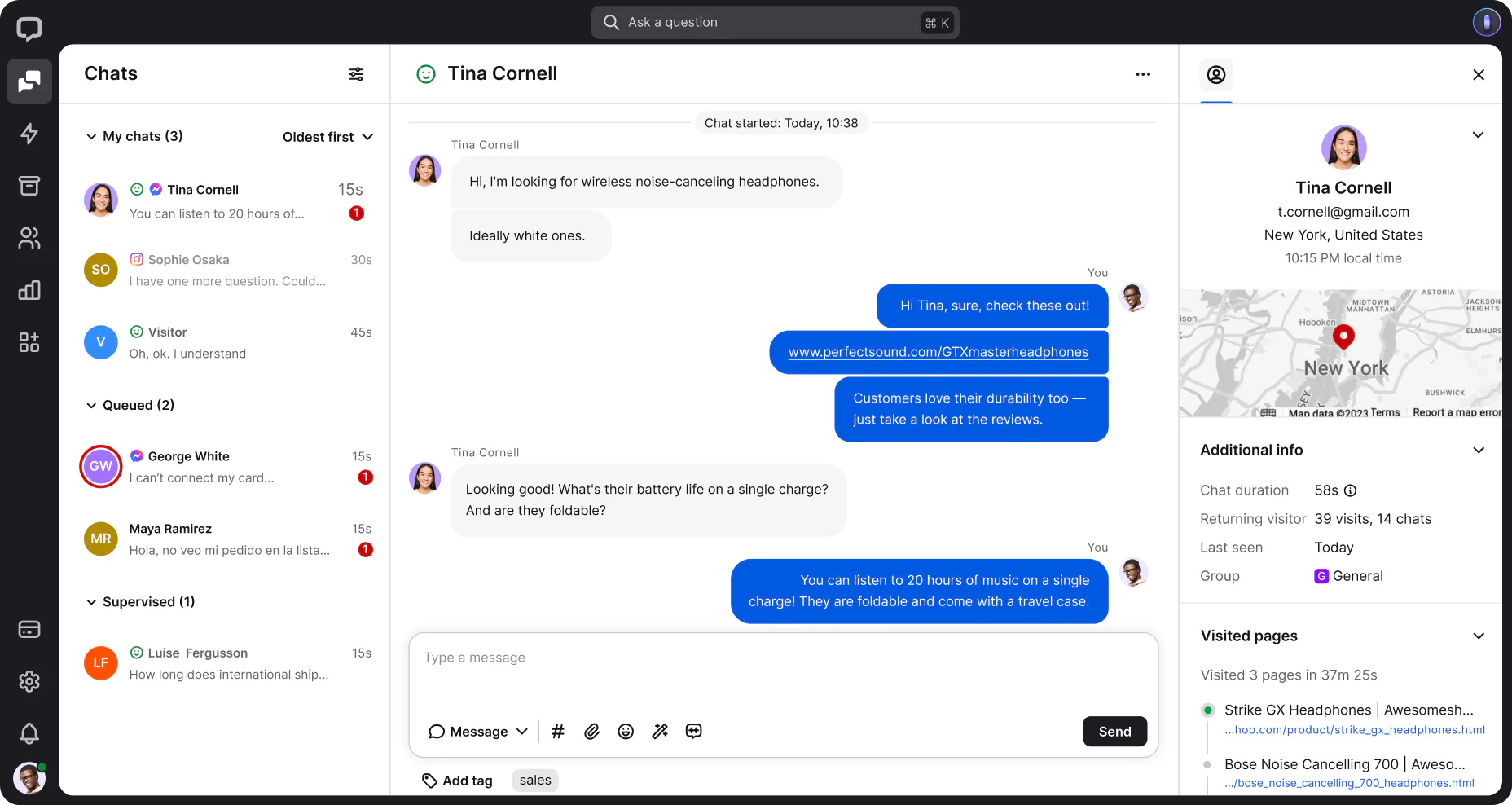
LiveChat is one of the longest-established live chat platforms, used by mid-size and larger businesses for over a decade. Unlike automation-first tools, it is built around making human agents faster and better informed: agents get a typing preview, canned responses, full customer history, and real-time insight into which pages a visitor is browsing, so they can step in at the right moment and help close a sale. It installs on Squarespace through code injection (you paste a snippet into Settings, Advanced, Code Injection), and the widget is fully brandable to match your theme. There is an AI layer for routine replies and writing assistance, but LiveChat positions itself as agent-first with AI support, rather than a bot that replaces your team.
What it does
LiveChat is built for teams that sell and support through conversation. Key features include:
- A polished, brandable chat widget that matches your Squarespace theme and is among the most refined and customisable available.
- Agent productivity tools: canned responses, typing preview, chat routing, agent groups, and customer history in the conversation view.
- Product cards for Squarespace Commerce, letting agents share product recommendations with images and direct links inside the chat.
- Proactive chat invitations triggered by visitor behaviour, to reach buyers at the moment they hesitate.
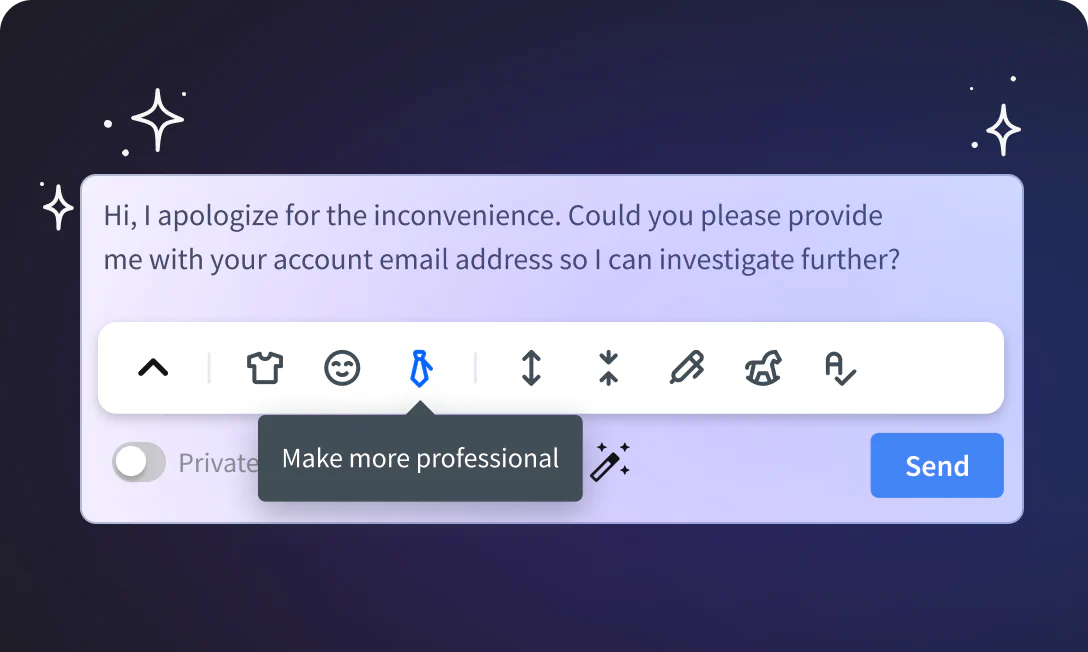
- AI assistance: automated replies for routine questions, plus writing tools to rewrite, expand, or adjust the tone of responses and summarise chats.
- A ticketing system so messages received while you are offline become trackable tickets.
- Detailed analytics on chat volume, response times, agent performance, and sales conversions, with mobile apps for agents.
Pricing
LiveChat is priced per agent, with a 14-day free trial and cheaper annual billing. The per-seat model is the main thing to plan around. As a rough guide (check the LiveChat site for current figures):
- Starter: around $20 per agent per month (annual). Core live chat, a brandable widget, and a 60-day chat history limit.
- Team: around $40 per agent per month (annual). Adds full chat routing, unlimited history, and deeper widget customisation.
- Business: around $60 per agent per month (annual). Adds work scheduling, staffing prediction, and more advanced reporting, the tier where richer chatbot automation is expected.
- Enterprise: custom pricing for large teams with security and support needs.
Two honest points. The cost scales with every agent you add, so a three-person team is roughly three times the per-seat price, which makes it pricier than flat-rate or free rivals for small teams. And full chatbot automation really comes via ChatBot, a separate product from the same company, so an automated-FAQ-plus-live-agent setup means running (and paying for) two tools.
Who it is for
LiveChat is an excellent fit for Squarespace businesses that have people to staff chat and treat conversation as a sales channel: stores wanting to guide shoppers to checkout, and service businesses with a dedicated support function. The product cards, proactive invitations, and conversion analytics are built for selling, and the widget is polished enough to suit premium brands. It is a weaker fit if you are a solo operator who cannot be online to answer chats (an automation-first tool will serve you better), if you want AI to handle most conversations out of the box (consider Tidio, or pair LiveChat with ChatBot), or if budget is tight, where a free option like Tawk.to covers the basics. Note that code injection requires a Squarespace Business or Commerce plan.
Our verdict
LiveChat is the polished, sales-focused choice in the live chat category, and for a Squarespace business with agents to staff it, the productivity tools, product cards, and conversion analytics genuinely help turn conversations into sales. It is the premium, human-first counterpart to the other chat tools: where Tidio leans into AI automation and Tawk.to wins on being free, LiveChat is built to make a real support or sales team faster and more effective. The honest trade-offs are the per-agent pricing, which adds up for larger teams, and the fact that deeper automation lives in the separate ChatBot product. If you sell through conversation and have people to do it, LiveChat is a strong, well-built pick.
Frequently asked questions
Does LiveChat work with Squarespace?
Yes. You copy the LiveChat snippet and paste it into Settings, Advanced, Code Injection on your Squarespace site, and the widget appears immediately. Code injection requires a Squarespace Business or Commerce plan.
Is LiveChat an AI chatbot?
Not primarily. LiveChat is an agent-first platform with AI assistance for routine replies and writing. For full chatbot automation, it integrates with ChatBot, a separate product from the same company, which means a second tool and subscription.
How much does LiveChat cost?
It is priced per agent: roughly $20 per agent per month for Starter, $40 for Team, and $60 for Business, all billed annually, plus a custom Enterprise tier. There is a 14-day free trial.
How is LiveChat different from Tidio or Tawk.to?
LiveChat is the polished, agent-first sales tool with per-seat pricing. Tidio leans into AI automation for small businesses, and Tawk.to is free but human-only. Choose LiveChat when you have a team and sell through conversation.
Can LiveChat help me sell, not just support?
Yes. It includes product cards for Squarespace Commerce, proactive chat invitations based on visitor behaviour, and analytics that track sales conversions from chats, all aimed at turning conversations into purchases.
This page contains affiliate links. If you subscribe through them we may earn a small commission, at no extra cost to you. We only feature tools we would recommend on their own merits.

